The break reminder you can't fake.
Most reminders are easy to ignore. ErgoGuard opens your camera and uses on-device AI to watch you actually do the exercise — you can't dismiss the alarm until you've completed your reps.
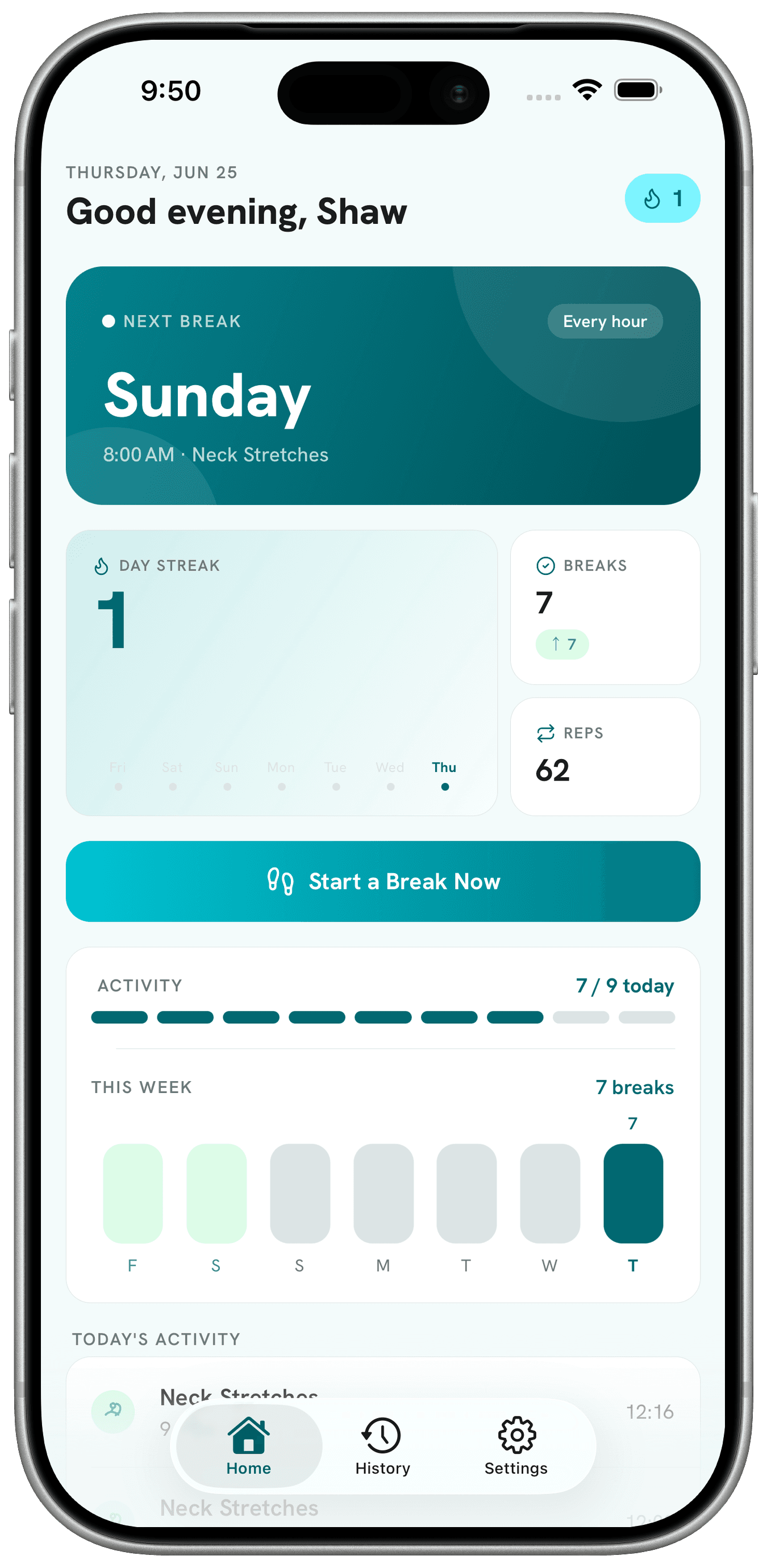
You dismiss reminders. ErgoGuard watches you move.
The gap between a notification and an actual stretch is where every other app loses you. Here's how ErgoGuard closes it.
How it works
Three steps to a body that actually moves
Set your rhythm
Choose how often you want to move, your work hours, and which exercises to cycle through.
Get nudged
When it's time, ErgoGuard fires a notification. Tap it and the guided exercise screen opens.
Move to dismiss
Your front camera and on-device AI count your reps in real time. Hit your target and the break is logged.
No camera, or the AI can't track? A manual Count Repfallback keeps you moving so you're never stuck.
Features
Everything you need to break the sitting habit
Pose-verified reps
On-device MoveNet AI tracks your skeleton and counts real repetitions — it knows standing from sitting, and only counts proper form.
7 desk-friendly exercises
Squats, Arm Raises, Neck Stretches, Shoulder Shrugs, Calf Raises, Torso Twists, and Desk Push-ups. Mix 1–3 per break.
Smart scheduling
Set your interval, work-hours window, and active days of the week. No nags on weekends.
Live on-screen coaching
Each exercise has clear setup and movement cues, plus a real-time skeleton overlay so you see what the AI sees.
Seated options
Neck Stretches and Shoulder Shrugs work without standing up, for when you can't (or won't) get up.
Guided neck routine
A 3-part guided flow — Side Tilts, Head Rotations, and Nod Up & Down — cued one movement at a time.
Progress & history
Every break is logged with reps, duration, and completion status. See your day's stats and full session history.
100% private & on-device
Pose detection runs entirely on your phone. Your camera feed is never uploaded or stored.
Manual fallback
If the camera can't track — bad lighting, no permission — a “Count Rep” button keeps the workout going.
Personalized & adaptive
Optional name for a personal greeting, and rep detection adapts to your body's resting posture instead of rigid thresholds.
The exercises
Seven desk-friendly moves
Mix 1–3 per break. Two work fully seated for when you can't get up.
Squats
Stand, sit back, drive up through your heels.
Arm Raises
Sweep both arms overhead, then lower with control.
Neck Stretches
SeatedGentle side tilts to release tension.
Shoulder Shrugs
SeatedLift shoulders to your ears, then drop and relax.
Calf Raises
Rise onto your toes, pause, lower slowly.
Torso Twists
Rotate through the waist, left and right.
Desk Push-ups
Hands on the desk edge, lower in and press out.
Plus a 3-part guided neck routine: Side Tilts, Head Rotations & Nod Up & Down.
Your camera feed never leaves your phone
Verifying a rep usually means trusting a camera app. ErgoGuard does all of it on-device — there's nothing to upload, and nothing to leak.
On-device AI
Powered by TensorFlow.js MoveNet running locally. No cloud, no account required to verify a rep.
Your camera stays yours
Frames are processed and immediately discarded — nothing is saved or transmitted.
Native & lightweight
Built with Expo / React Native for a smooth, fast iOS experience.
Progress & history
Watch the movement add up
Every break is logged with reps, duration, and completion status. Your daily stats and full session history turn “I should move more” into something you can actually see.
Today
6 breaks · 58 reps
Stand up. Stretch. Prove it.
Get accountability for your body, built into your workday. Download ErgoGuard for iOS today.